


Retouching for Different Skin Tones: Why One Technique Doesn't Fit All

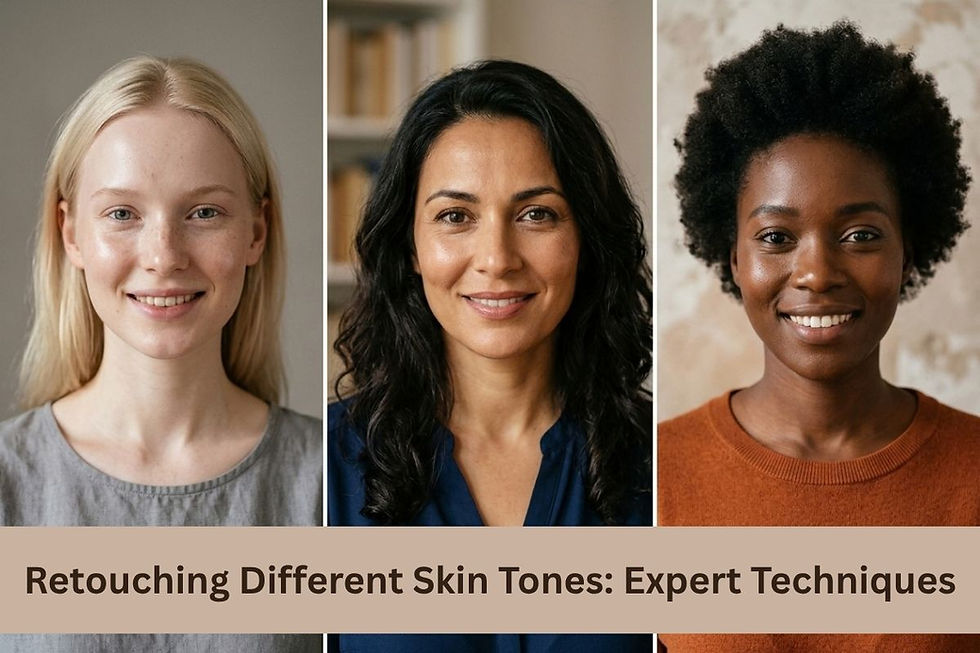
The human face is the ultimate canvas in the field of portrait photography. Human skin, however, is far from being flat, even, and similar to a blank page and is far more textured and varied. A common error made by photographers and amateur editors is editing all of their portraits with one of the presets or one editing technique. No one-size-fits-all solution works for a variety of skin tones. It's right where professional photo editing and retouching services come into play to save the day.
A technique designed to give a glowing, flawless appearance to lighter skin tones may result in the appearance of ashy, flat or unnatural processing on darker, richer skin tones. The editing process needs to be as individual as the subject's complexion, to truly honor the beauty and individuality of the subject. A master retoucher is someone who recognizes the effects of light, shadow, and color grading in various skin tones.
What Makes Every Skin Tone Different?
It's important to know what constitutes one skin tone before getting into the nitty-gritty of post-production. The color of our skin is largely due to melanin, but the color captured by the camera depends on the combination of surface color, light scattering in the deeper layers of the skin, and the color of the deeper layers of the skin.
A professional photo retouching service would ensure that these characteristics are considered before making the smallest correction to your photo. Lighter skin is often more noticeable in terms of the degree of the redness beneath the surface, and can reflect light very strongly, while darker skin absorbs light more and more and needs to be complemented by good specular highlights to accentuate the bone contour and facial depth. If these different biological and optical properties are treated in the same automatic mode, it is certain that the natural dimension of the portrait will be lost. Preserving these elements is the basic sound foundation of creating a quality realistic picture, and that is where professional photo editing and retouching services come in.
Challenges in Retouching Light Skin Tones
Everyone has their own type of skin tone, which has its set of challenges all in its own. The property of light skin is that it reflects a lot and is a bit transparent, so it shows the underlying elements a lot more clearly than other skin types.
When tackling pale complexions, a photo retouching service needs to overcome a few distinctive challenges:
Redness and Uneven Pigmentation: Light skin is prone to show any underlying redness or blotches. These must be carefully corrected for by the editor, so that the tone of the skin is balanced in the image but doesn't lose its natural pink or peach tones, otherwise the image will look lifeless.
Blown-Out Highlights: Highlights can lose critical detail on pale skin due to its high light reflection capabilities. These areas need a delicate touch to restore, and to maintain the skin's natural, radiant texture.
Visible Veins and Blemishes: Light skin tones can reveal blemishes and veins, so care and targeted healing is essential, not comprehensive blur.
Light skin can easily be transformed into plastic by an aggressive frequency separation without proper masking by the editor. The aim is to reduce the distractions whilst retaining the natural texture of the skin.
Challenges in Retouching Dark Skin Tones
On the other hand, working with dark skin tones calls for a totally different mental attitude and toolset. Darker complexions absorb light instead of reflecting it widely, so the silhouette and proportions of the face are defined pretty much by the sharp highlights and not the dark shadows.
One of the most common mistakes made by a beginner editor is when he or she tries to fix a dark skin tone to make it look lighter than the subjects. This is a common problem that will lead to the skin tone looking washed out, gray or "ashy". High-end photo editing and retouching companies know how to prevent this from happening and pay attention to:
Improving Micro-Contrast: Rather than working with global brightness and contrast, the editor works with micro-contrast to bring out the vibrant look and beautiful faithfulness to the subject's skin tone of melanin-rich skin.
Dodging Highlights, Not Shadows: The main focus is not to make the skin tone lighter, but to make it richer. This is about skillfully avoiding the highlights while providing a natural and healthy look.
Preserving Deep Shadows: Shadows cast on darker skin will help to define the bone structure. It is okay to burn these shadows slightly (to preserve essential contrast and facial depth).
That's where playing with an interactive tool can help to illustrate why different adjustments are required. Too high of an exposure will wash out deeper tones and too much smoothing will take out all highlights.
Retouching Medium and Olive Skin Tones
Medium and olive skin tones fall between the extremes and have unique colour grading requirements. The tone of these skin types is generally deep green, yellow or golden. Olive skin can also accidentally turn into an unnatural shade of sickly green or orange when used in the wrong studio lighting or with the wrong color grading.
That is why many studios have a trial period for you to see the enormous difference between automated software and real human talent. An algorithm could successfully combine a blemish onto a light-colored skin tone, but mess up the combination on a dark olive skin tone. The professional who is dedicated to getting the best in the pictures has a professional eye which helps him balance out those difficult warm and cool elements so that the final portrait looks as natural as possible.
Also Read: Basic vs. High-End Retouching
Professional Retouching Techniques for Different Skin Tones
So, how do the absolute best photo editing and retouching services fare with different skin colors? The key is a localised workflow without destroying the image, and working with the image selectively.
Dodge and Burn over Blurring Professionals tend to use Dodge and Burn to micro-adjust exposure on a pixel by pixel basis rather than heavy handed blur tools to smooth skin. This corrects out the lightening inconsistencies and blemishes while preserving the skin's natural quality.
Custom White Balance: The Editor separates the skin tones and fine-tunes the white balance independently from the background. This way, you won't unintentionally alter the subject's natural undertones with cool backgrounds or colored studio lighting.
Selective Color Grading: Instead of putting a color filter on the entire image, the retouchers will adjust the hue, saturation, and luminance (HSL) of specific color channels to balance the skin without affecting the rest of the image.
Modified Frequency Separation: If it's determined that frequency separation is needed, experts will carefully adjust the blur radius to ensure that the texture layer of a subject's skin is fully preserved and realistic.
Conclusion
Understanding how to edit a portrait involves understanding that each person's face is unique and that each skin tone will need a different approach, a more personalised and thoughtful one. Using a single approach to a wide range of skin tones will diminish the quality of the photograph and result in a less natural and unique photograph of the subject. The knowledge of the physics behind light, melanin, and texture can help photographers take their portfolios to new heights and create stunning images.
Whether you are taking high fashion editorials, wedding photos or corporate headshots, working with professional photo editing and retouching services will ensure that each individual looks the absolute best. In your search for a suitable service for your critical post-production task, always try out various photo editing websites to see the range of their portfolios. This ensures that you'll discover a staff that is experienced at treating, honoring, and magnificently elevating each individual skin tone.


Comments