


Wedding Photo Culling: How Wedding Photographers Should Narrow 3,000 Shots to 500

The 8-hour wedding shoot is a creative race, but once you get to your computer, that's the test of endurance! You load the high-speed memory cards, import the images and are presented with a daunting 3,000+ RAW files. This pile of papers is enough to cause anxiety for many professionals, especially after the wedding. Color grading and retouching a bloated catalog requires tremendous effort and slows down the turnaround. In the era of professional wedding photo editing services, the most important art form is one you must master before you even send off your collection: culling – taking all the volume and turning it into a beautiful, emotional story of 500 great photos.
Culling is not a simple matter of removing bad frames, it's the backbone of your business. The systematic reduction of 3,000 shots to 500 well-sharpened keepers improves the client experience and frees up mental bandwidth.
Shift Your Mindset: Curate the Wedding Story, Don’t Just Delete Photos
Decision fatigue is the biggest obstacle for photographers when trying to cull. If you take a close look at thousands of images one at a time, you will start to get a headache after 45 minutes and will start to doubt yourself and doubt your progress.
Instead of asking, "Is there anything wrong with this shot? ask, "Does this image move the story of this day?
A wedding gallery ought to be similar to a well-edited documentary film. You don't need twenty almost-identical versions of the bride adjusting her veil, you need the one frame on which her expression, light and posture are all in harmony. Rather than being a digital hoarder, think of your catalog as a curator, and it'll help you make decisions and create cleaner color batches for photo editing services from wedding photographers.
Phase 1: Eliminate Technical Rejects (3,000 → 1,500)
The first pass should be ruthless and objective, and quick. Wait until later to consider the nuances of art. You are only diagnosing and eliminating obvious technical problems:
Out-of-focus captures: Critical focus misses - camera locked onto some background foliage rather than the captured object.
Unflattering blinks and mid-sentence expressions: When eyes are partly closed during speech or during candid conversations.
Lighting misfires: Test exposures, flash misfires, or bad unintentional clipping.
For a faster execution, you should use culling software that is designed to generate embedded RAW previews immediately. Set AutoAdvance; this will cause each keystroke to move you to the next frame. Do not drag the mouse when moving to a rejection key.
Phase 2: Cut Duplicates and Apply the Reverse Cull (1,500 → 800)
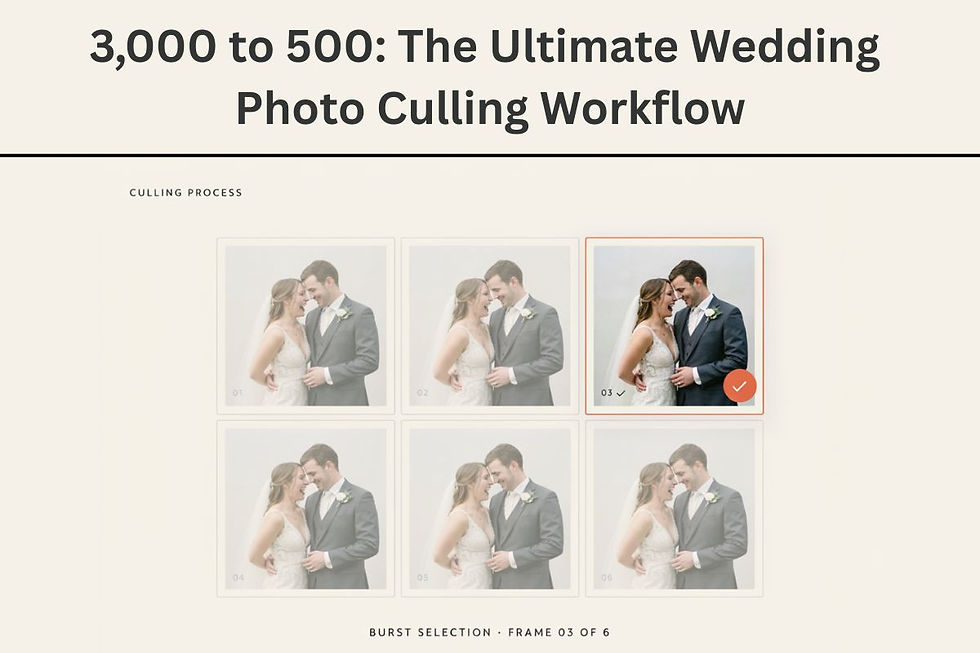
In busy moments, such as a toss of confetti, the first kiss, or a fun time spent dancing on the floor, the photographer will of course take a lot of photos. This gives rise to groups of five to ten very similar frames.
One effective method for this is to cull in reverse. With a posed portrait or detail setup, photographers will fine tune their composition and posing with each click, making the last picture of a series the best. When going through the sequence backwards, you can see the winning frame at a glance and skip the previous shot.
By eliminating duplicate angles, your catalog gets into more reasonable territory and provides you with a framework for dependable wedding photo editing services.
Phase 3: Build a Balanced Story From 800 to 500 Images
You have now a clear pool of good images to use without any technical rejects or burst photos. The last cut from 800 to 500 is a balancing act over the whole day.
Spread your 500 keepers intentionally over the crucial parts of the wedding:
Wedding Milestone | Target Delivery Range | Focus Areas |
Getting Ready & Details | 60 – 75 images | Stationery, rings, attire, candid preparation moments |
First Look & Couples Portraits | 75 – 90 images | Intimate interactions, wide environmental frames, tight crops |
Ceremony | 90 – 110 images | Processional, vows, rings, key reactions, recessional |
Family & Wedding Party | 60 – 80 images | Clean, sharp, classic group portraits |
Cocktail Hour & Reception | 80 – 100 images | Venue decor, emotional speeches, first dances |
Party & Send-off | 65 – 80 images | Dynamic dance floor energy, grand exit |
This is a systematic allocation to ensure that you're not sending 200 photos of the reception and skimping on the family formals and decor photos.
Prepare Your 500 Final Images for Post-Production
When the number of images you have culled reaches 500, structure your catalog in an orderly fashion. Use a basic star rating system:
3 Stars: The 500 images that tell the whole story.
4 Stars: Hero images that are chosen for sneak peeks, social media highlights and blog features.
5 Stars: Portfolio-worthy shots destined for print sample albums.
Standardized catalog metadata will allow outsourcing to be easily achieved. For wedding photographers, high-volume studios often depend on their photo editing capabilities to deal with color correction, smoothing the skin and applying pre-set. For many modern labs, you can use sample catalogs to determine color profiles and crop preferences without paying for a wedding order—and there's a free trial offered on many of their websites.
Providing a good, consistent, tight selection to outside parties accelerates your turnaround, saves on processing costs and guarantees perfectly consistent color grading from shoot prep to the sparkler exit.
Conclusion
It doesn't have to be a tedious task to reduce 3,000 images to the final 500. This is the same as making an overwhelming archive into a curated heirloom, broken down into technical, sequence-reduction and story-balancing stages.
Having a concise front-end selection will leave more room in your schedule for your high-value business activities, like marketing, client appointments and shooting. To take the seamless pipeline from the production to the post production, consider a popular photo editing website that offers automatic workflow and specific wedding photo editing services. By following your plan and having the right people to assist you, you can create amazing galleries in a timely manner and get back to your own life.



Comments